Rethinking Ticketing Fees for Community Events
When I first started organizing events for our cultural association, I assumed high ticketing fees were inevitable. We used a well-known platform, and it felt like the cost of doing business. A percentage cut per ticket seemed fair since they handled the payments, checkout process, and emails.
But every time we did the math, it stung. If we sold $20 tickets for a 150-person event, a significant portion of our revenue disappeared before we even started paying for refreshments, decorations, or a small honorarium for the guest speaker. Multiply that by multiple events a year, and we were losing money we desperately needed.
For years, I thought: "There’s no way around this. Every platform takes a cut." And I just accepted it. However, I’ve since learned that this doesn’t have to be the case.
Exploring Alternatives to High Ticketing Fees
Eventually, I started exploring alternatives to traditional ticketing platforms. I realized there were systems specifically designed for community groups and small organizations — systems that offered more flexibility and lower costs. These platforms often focus on empowering users rather than maximizing profits.
Switching platforms can feel daunting, especially for volunteer-led organizations. Concerns about learning a new system, potential bugs, or attendee confusion are valid and can hold you back. However, the potential benefits of adopting a platform tailored to your specific needs can outweigh the initial challenges. Lower fees, more customization, and better attendee experiences can make the switch worthwhile.
Here are a few examples of low-cost or no-cost ticketing platforms:
- Eventbrite: While popular, Eventbrite charges fees that can add up quickly. However, for free events, their platform remains free to use.
- Ticket Tailor: A flat-fee structure that’s cost-effective for small events.
- Brown Paper Tickets: Offers low fees and is known for its customer-oriented approach.
- PayPal Buttons or Google Forms: For ultra-small budgets, these DIY options can be paired with tools like spreadsheets for tracking.
The key is understanding your organization’s priorities and balancing ease of use with cost savings.
Key Features to Look for in a Ticketing Platform
When evaluating ticketing platforms, consider these features that can save your organization money and improve the attendee experience:
-
Low or No Platform Fees
- Platforms like Ticket Tailor charge a flat monthly fee rather than a percentage per ticket. If you host frequent events, this can save you hundreds (or thousands) over time. Always check for hidden costs, such as payment processing fees, which are often unavoidable (typically 2–3% plus a small transaction fee).
-
Flexible Pricing Options
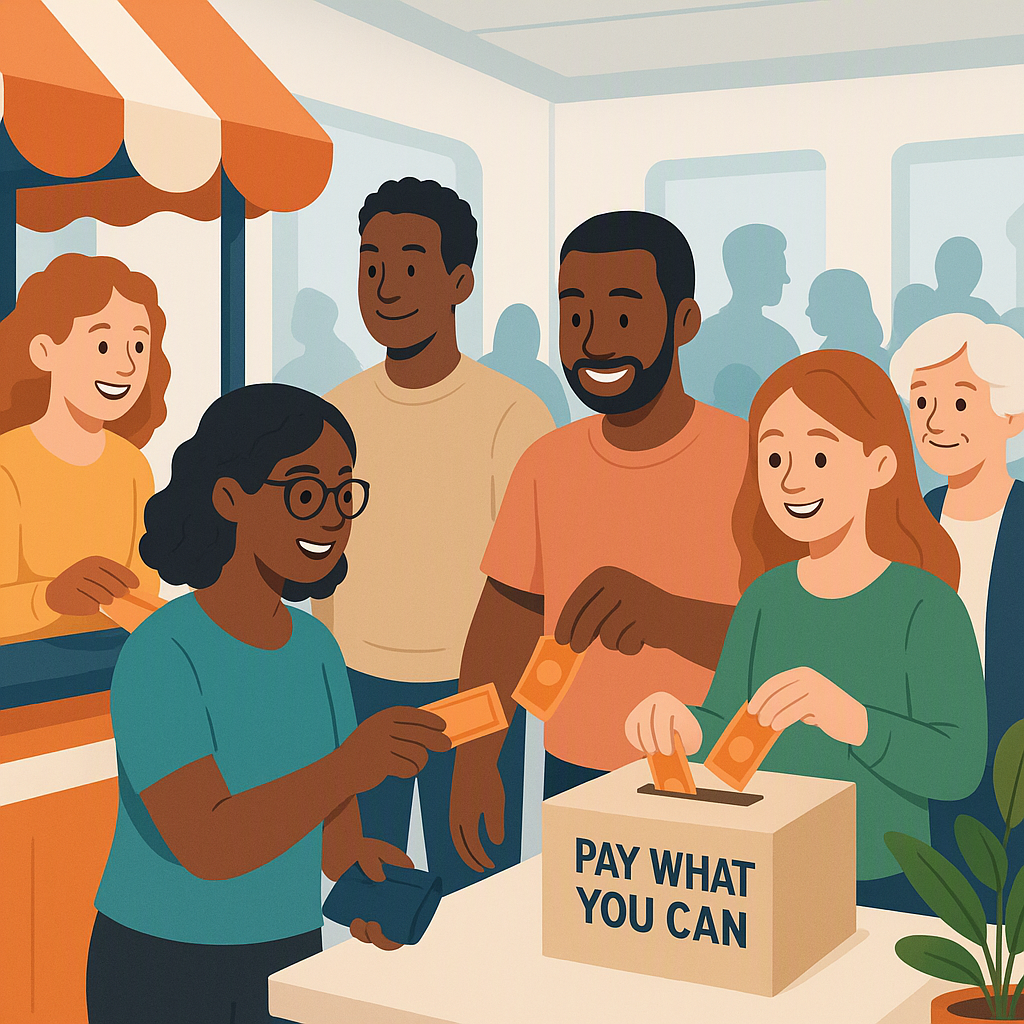
- Look for platforms that allow "Pay What You Can" pricing, tiered ticketing, or donations. For example, if your event serves a diverse community, some attendees may be willing to pay more to subsidize others who need lower-cost tickets. This not only helps cover costs but also fosters inclusivity.
-
Offline Payment Tracking
- Many community events still sell tickets at the door, whether via cash or card swipe. A good platform will let you integrate these offline transactions with your online sales, so you can have a single, unified sales report.
-
Custom-Branded Event Pages
- Trust is crucial for ticket sales. A platform that allows you to customize event pages with your logo, colors, and branding can help reinforce credibility and make your event feel more professional.
-
Ease of Use
- A user-friendly interface is essential. Test both the organizer dashboard and the attendee ticketing process before committing to a platform. If it’s confusing for attendees, you risk losing sales.
How to Sell Tickets Online for Community Events
If you’re ready to sell tickets for your next event, here’s a step-by-step guide:
-
Choose the Right Ticketing Platform
- Start by defining your needs. Are low fees your top priority? Do you need features like tiered pricing or offline payment tracking? Compare platforms and test their free trials if available.
-
Set Up Your Event
- Add details like the event name, date, location, and description. Upload promotional materials, such as images or videos. Configure ticket types: fixed-price tickets, free RSVP tickets, or "Pay What You Can" options. Don’t forget to set capacity limits if your venue has restrictions.
-
Promote Your Event
- Share your event link strategically. Use email newsletters, post on social media, and reach out to local community groups. Offer early-bird pricing or discounts to incentivize early purchases. Tools like Canva can help you design eye-catching promotional graphics.
-
Track Sales and Payments
- Monitor ticket sales in real-time. Most platforms let you export ticketing data to simplify financial management. If your platform supports offline payments, ensure you reconcile those transactions with your online sales.
-
Automate Confirmation Emails
- Choose a platform that automatically sends confirmation emails. These emails should include event details, ticket QR codes (if applicable), and a way to contact you for questions. This automation saves time and ensures attendees feel confident about their purchase.
Lessons Learned from Optimizing Ticketing
Reflecting on my experience, I realized that sticking with high-fee platforms cost us more than just money. It limited our ability to:
- Subsidize tickets for low-income attendees.
- Hire better performers or speakers.
- Improve event logistics, like better seating or audio-visual equipment.
By switching to a cost-effective ticketing solution, we’ve been able to allocate resources more effectively. We can now focus on creating memorable experiences for our community rather than worrying about covering costs.
A Comparison of Ticketing Platforms
| Feature | Eventbrite | Ticket Tailor | Brown Paper Tickets | DIY (Google Forms + PayPal) |
|---|---|---|---|---|
| Platform Fees | 2-5% + $0.79/ticket | Flat monthly fee | Low fees | None |
| Payment Processing Fees | ~2.9% + $0.30/ticket | ~2.9% + $0.30/ticket | ~2.9% + $0.30/ticket | PayPal fees (~2.9% + $0.30) |
| Custom-Branded Pages | Limited | Yes | Limited | With effort |
| Offline Payment Tracking | Yes | Yes | Yes | Manual |
| Ease of Use | High | High | Medium | Low |
Final Thoughts
If you’re running community events on a tight budget, you don’t have to settle for high-ticketing fees or clunky systems. There are platforms designed to meet the unique needs of small organizations, offering features that improve accessibility and reduce costs.
Take the time to evaluate your options and choose a solution that empowers your organization to thrive. With the right tools, you can focus on what truly matters — bringing people together and creating memorable experiences.